Mileage Reimbursement
Employees are reimbursed for mileage when driving to and from an on-site assessment.
Student employees are reimbursed at the standard business travel rate of $0.70 per mile.
All travel reimbursements must be submitted through UConn Travel Services:
https://travel.uconn.edu
Creating an Expense Report
From the UConn Travel page, click Login to Concur Travel & Expense.
Your login credentials are the same as your Employee Self-Service account.
Once logged in:
- Click the blue Create button.
- Select Start a Report.
- Complete the required fields using the following information:
| Field | Entry |
|---|---|
| Trip Name | Assessment Name |
| Business Travel Start Date | Date of assessment |
| Business Travel End Date | Date of assessment |
| Trip Purpose | Research |
| Traveler Type | UGRAD Student or Graduate Student |
| Trip Type | In-State / Out-of-State |
| Includes Personal Travel? | No (if traveling from and to UConn/home) |
| Business Purpose | To complete an on-site energy assessment |
| Account Number | ask someone |
| Travel Allowance | No |
When all information is entered, click Create Report in the lower-right corner.
Mileage Reimbursement
Once the expense report is created, add a Mileage Reimbursement Expense:
- Click Add Expense → select Personal Car Mileage.
- Enter:
- Starting Location: UConn address (your departure point)
- Destination: Manufacturer’s address (assessment site)
- Return Location: Same UConn address (for round-trip)
If you live on campus, make sure:
- The Deduct Commute box is unchecked
- Add a note under Additional Information:
“No deduction necessary, commuting from campus.”
Uploading a Mileage “Receipt”
Even though mileage is calculated within Concur, you must include a receipt for verification.
Note
To generate the mileage receipt:
- Open Google Maps or Apple Maps.
- Enter the same route used in your Concur mileage entry.
- Take a screenshot showing:
- Start and end addresses
- Route map
- Total mileage
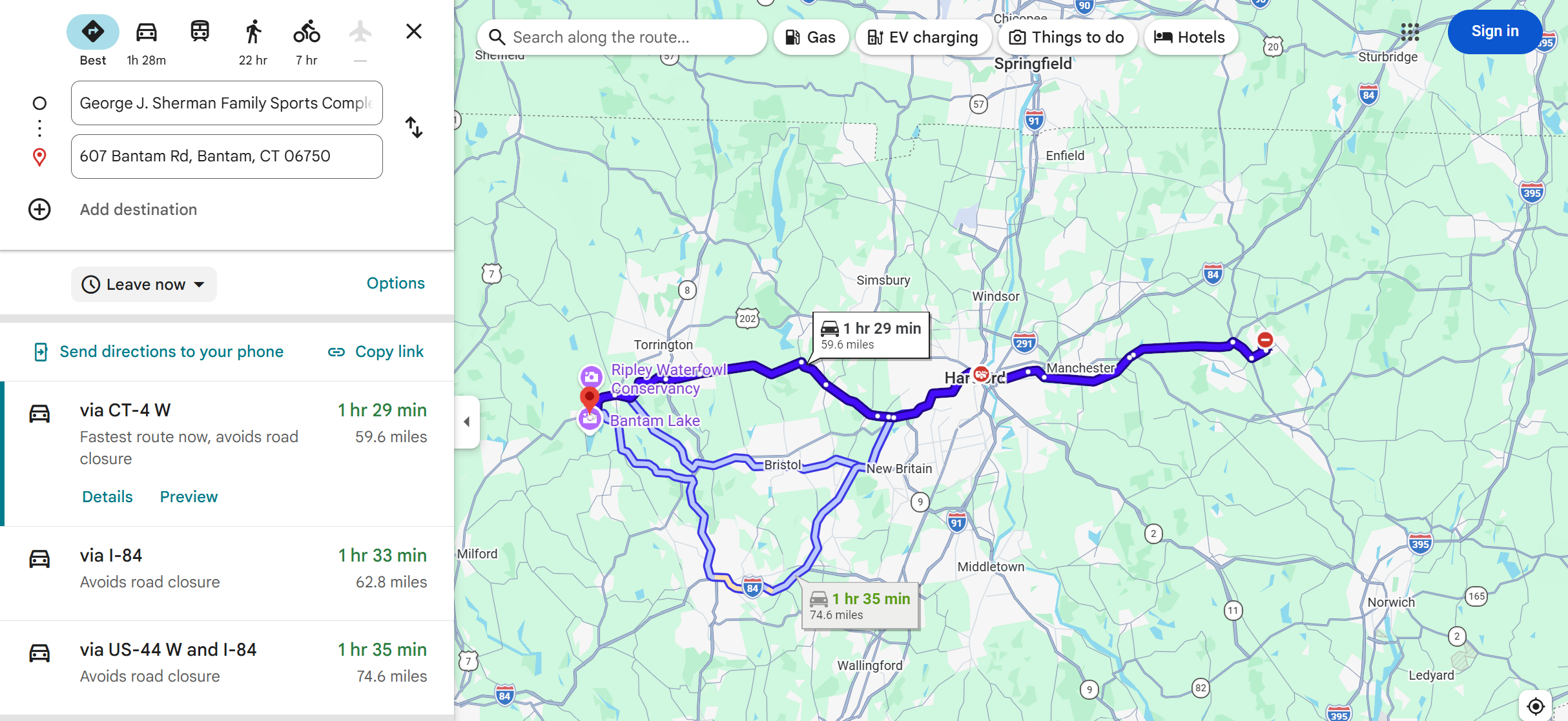
Then in your report:
1. Click Show Receipt → Add Receipt
2. Upload the saved map screenshot
3. Click Save Expense
Submitting the Report
Once your expense and receipt are attached:
1. Review all entries for accuracy
2. Click Submit Report
The report will be routed to about a hundred different people approval and processing. You should your reimbursement witin 30 days.